
Download WorkingHours: Time Tracking – time tracking, freelancing, work hours, productivity, task management, cloud sync, Pomodoro, project tracking, time logs, work analytics
Overview
WorkingHours: Time Tracking is a mobile application tailored for freelancers, hourly employees, and professionals seeking to monitor and manage their work hours with precision. Designed with productivity and organization in mind, the app provides a reliable solution for individuals who need to track time across multiple tasks or projects. Its primary purpose is to simplify the process of logging work hours while offering tools to analyze time allocation, generate reports, and streamline invoicing. The app addresses common challenges such as inconsistent time recording, lack of cross-device access, and difficulty in generating accurate reports for clients or internal use.
Target users include independent contractors, remote workers, consultants, and project-based professionals who rely on accurate time logs for billing or performance evaluation. The app’s cloud synchronization feature enables seamless access to time entries across devices, ensuring continuity regardless of platform. This is particularly beneficial for users who switch between smartphones, tablets, and desktops during their workday. Real-world use cases include tracking client hours for invoice preparation, monitoring daily productivity patterns, and managing project timelines through time-based insights. In the broader app ecosystem, WorkingHours fills a critical gap for users seeking a lightweight yet powerful time-tracking utility that supports both personal and professional workflows without unnecessary complexity.
Key Features & Functionality
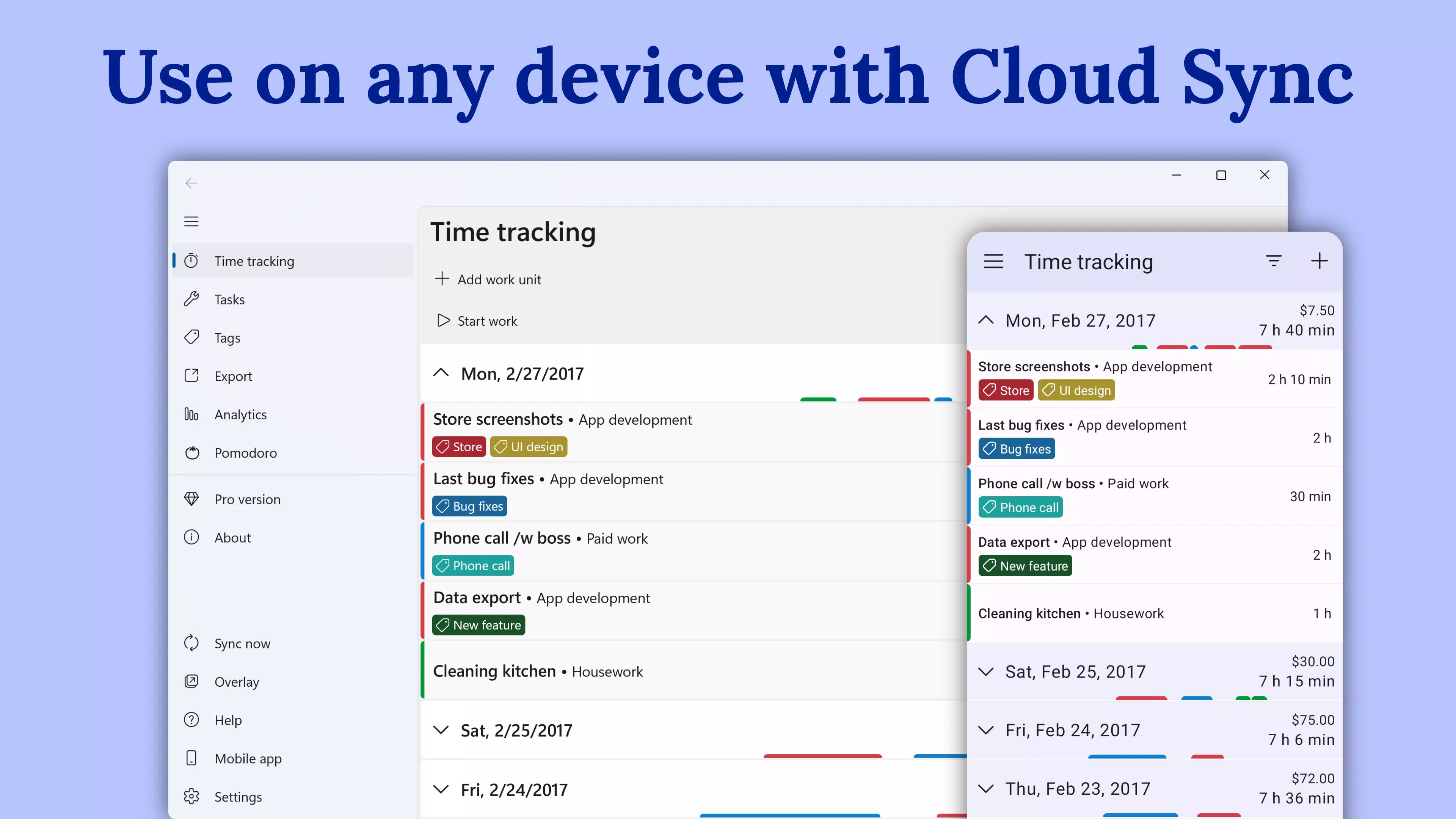
- Cross-Platform Compatibility: Available on Android, iOS, Windows, and macOS, the app ensures consistent access to time logs across devices. Cloud sync maintains real-time updates, allowing users to start tracking on one device and continue on another without interruption.
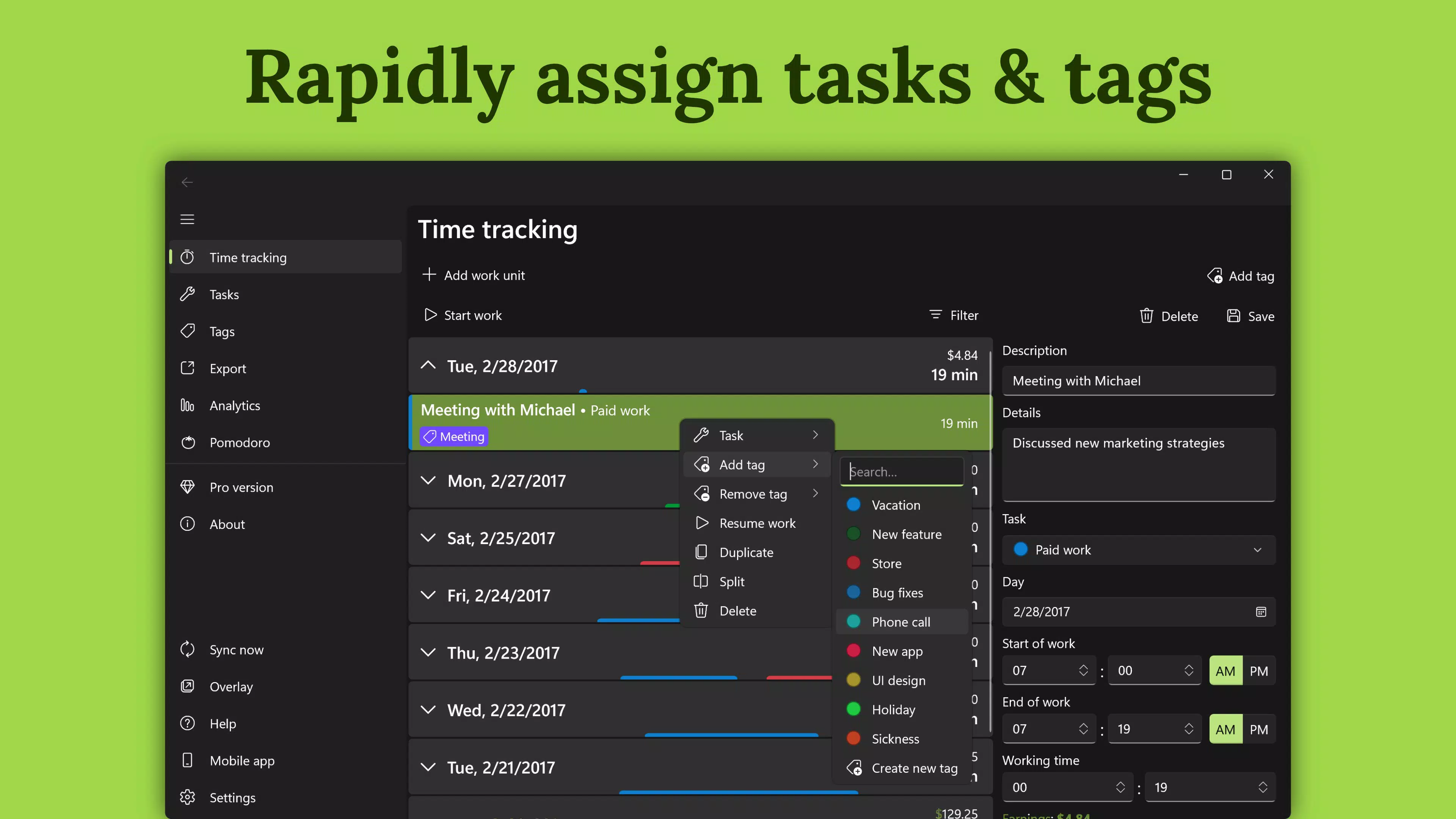
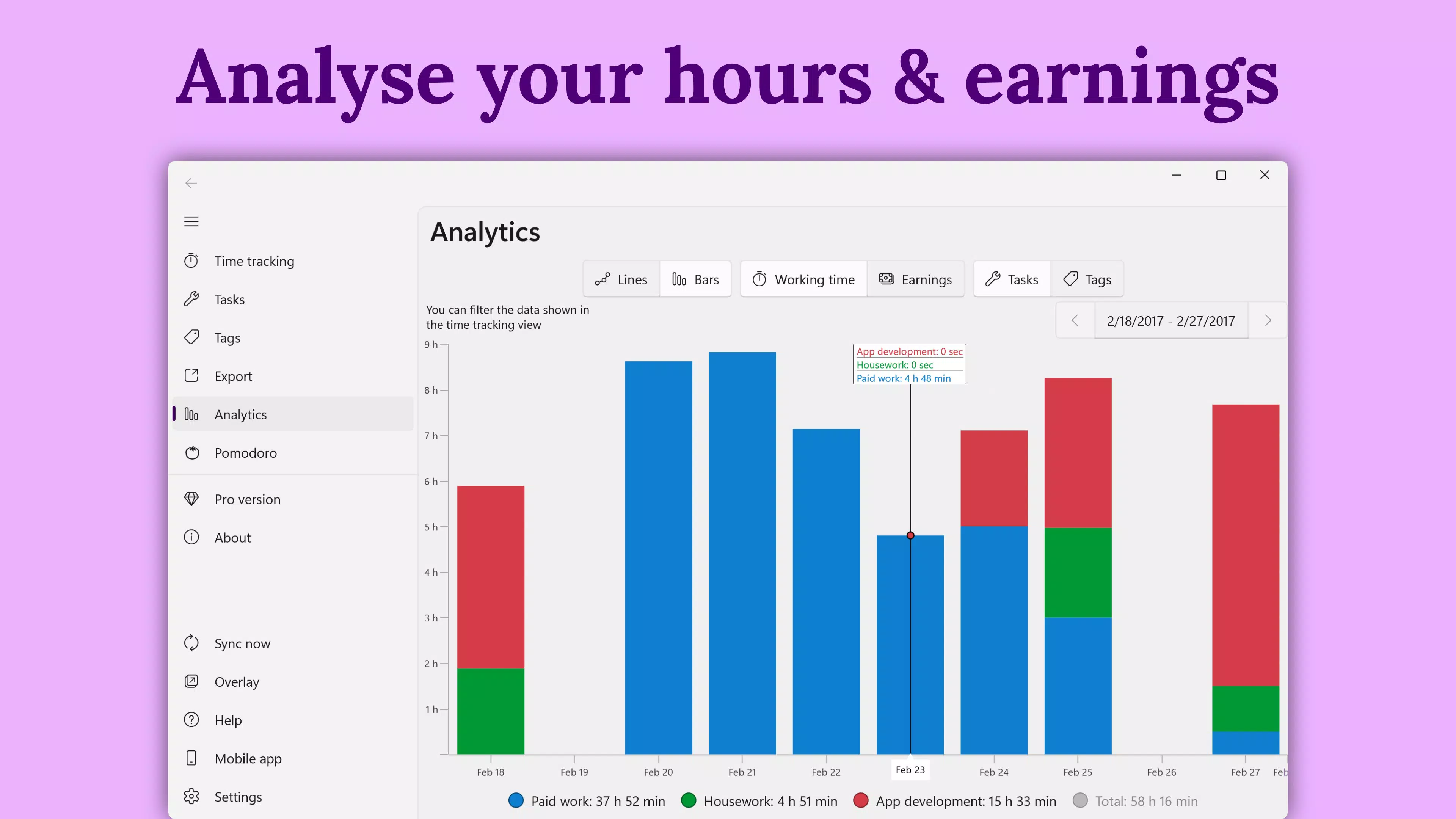
- Task and Tag Management: Users can assign specific tasks or tags to time entries, enabling granular organization. This feature supports filtering by project, client, or activity type, making it easier to analyze time distribution and generate detailed reports.
- Editable Work Units: Time entries can be modified after logging, which is essential for correcting errors or refining entries based on updated information. This promotes accuracy and accountability in time tracking.
- Comprehensive Data Export: Export time logs in Excel, CSV, or PDF formats. The PDF export function is especially useful for generating professional invoices, streamlining billing processes for freelancers and contractors.
- Pomodoro Technique Integration: Built-in timers encourage focused work sessions followed by short breaks. This feature supports sustained concentration while preventing mental fatigue, ideal for maintaining long-term productivity.
For example, a freelance graphic designer can use tags to differentiate between client projects, export a monthly report as a PDF invoice, and use the Pomodoro timer to maintain focus during design sprints. Similarly, a remote consultant can log hours on their Android device during a commute and later review the data on their desktop, ensuring no time is missed or misrecorded.
Interface, UX & Performance
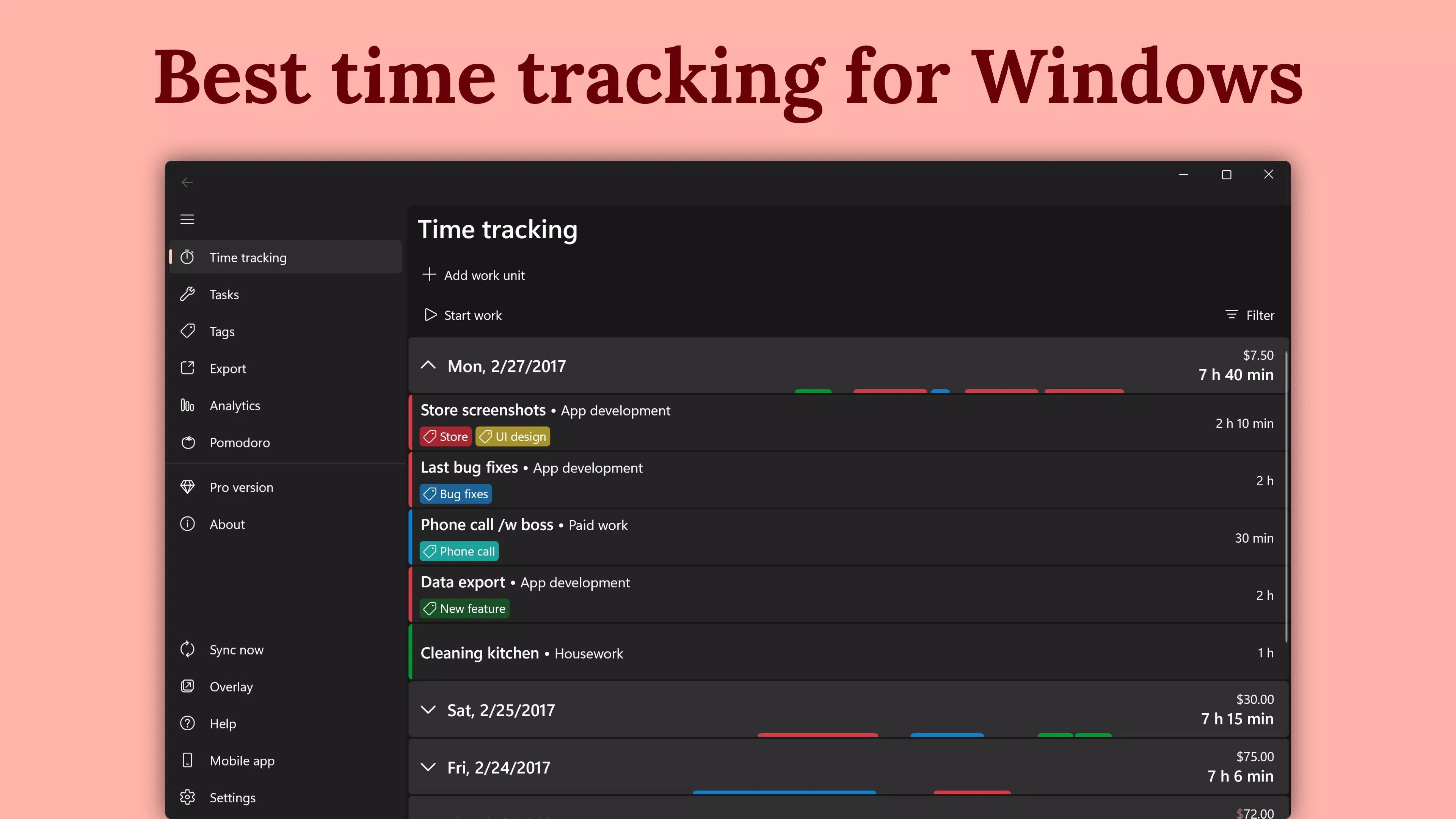
The user interface of WorkingHours: Time Tracking is designed with clarity and efficiency in mind. The layout emphasizes simplicity, with a clean dashboard that displays active timers, recent entries, and quick-access options for starting or stopping tracking. Navigation is intuitive, allowing users to switch between tasks, view history, and access settings with minimal taps. Visual elements are minimal yet functional, using consistent color coding for different tags or projects to enhance readability.
Although the developer did not list formal performance metrics, the app’s lightweight size of 21.4 MB suggests optimized resource usage. The interface remains responsive across various Android device categories, including mid-range and high-end models. Users can expect smooth transitions between screens and timely updates during active tracking sessions.
Stability appears to be maintained through regular synchronization, though no specific crash or error statistics were provided. The app does not appear to demand excessive battery or memory usage, which is critical for long-term use. Overall, the UX prioritizes speed and accuracy, aligning with the needs of professionals who value efficiency and reliability in their daily workflows.
Platform Compatibility & Technical Requirements
WorkingHours: Time Tracking is available on the Android platform, with a current version of 2.1.0. The app has a file size of 21.4 MB, making it suitable for devices with moderate storage capacity. While the developer did not specify minimum OS requirements, the app is designed to function on modern Android devices. Compatibility with older Android versions was not disclosed, so users should verify device support before installation. The app operates as a standalone utility without requiring additional system integrations or third-party services, though cloud sync may depend on internet connectivity.
Given the app’s focus on cross-platform access, users on other operating systems such as iOS or macOS can access the same data via their respective apps. However, the Android version is the primary mobile experience. The absence of detailed technical specifications does not detract from usability, as the app functions effectively within standard mobile environments. The developer did not provide information on required permissions or background processes, so users should review access requests during installation to ensure privacy alignment.
Pros and Cons
Pros
- Lightweight and fast-loading with a 21.4 MB file size.
- Supports cross-platform access with cloud synchronization.
- Offers flexible export options including PDF, CSV, and Excel.
- Includes Pomodoro timer to improve focus and prevent burnout.
- Allows editing of time entries after logging for accuracy.
Cons
- Specific OS requirements were not listed by the developer.
- Developer did not provide information on background performance or battery impact.
- Permissions and data usage details were not disclosed.
- No public update history or changelog was provided.
- Limited visibility into long-term stability or crash reports.
FAQ
Is WorkingHours: Time Tracking free to download and use?
Yes, the app is available at no cost. There are no subscription fees or in-app purchases mentioned in the current release.
Can I use WorkingHours on multiple devices?
Yes, the app supports cross-platform use across Android, iOS, Windows, and macOS. Cloud synchronization ensures your data remains consistent across all devices.
How do I export my time logs?
You can export your tracked hours as Excel spreadsheets, CSV files, or professional PDF invoices directly from the app’s reporting section.
Does the app work offline?
While the app allows time tracking without an internet connection, syncing data across devices requires an active connection. Changes made offline will be uploaded once connectivity is restored.
Is my data secure when using cloud sync?
The app supports user-controlled cloud storage, which means you can choose your own secure storage provider. However, specific encryption or security protocols were not disclosed by the developer.
Final Thoughts
WorkingHours: Time Tracking stands out as a reliable, no-frills tool for professionals who need to monitor their work hours accurately and efficiently. Its combination of cross-platform access, editable entries, and versatile export formats makes it a valuable asset for freelancers and hourly workers. The inclusion of the Pomodoro technique adds a productivity layer that supports sustainable work habits. While some technical details remain undisclosed, the app delivers on its core promise: simple, effective time tracking with minimal friction.
Users who prioritize organization, accountability, and seamless data access will find the most value in this application. Whether managing multiple clients, preparing invoices, or analyzing daily productivity, WorkingHours provides the tools needed without overwhelming complexity. For those seeking a secure, lightweight, and functional time-tracking solution on Android, this app is a strong contender.
Download WorkingHours: Time Tracking now


